
Knockout records
Unconscious and Knockout Feed
Post unconscious events so staff can review knockouts, revives, combat pressure, and rule context before the final death record.
Before the kill
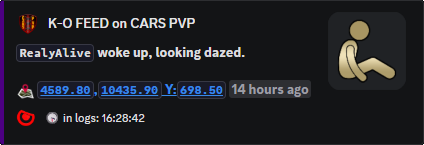
Unconscious Feed shows the moment a death report may not explain.
Knockouts can matter for hostage rules, event rules, revive timing, repeated suspicious downs, and fights that continue after the first player drops.
Use it beside Hit Feed and Killfeed when staff need the lead-up, not only the final result.
What staff can prove
The death message is often too late. Knockout records help staff see whether a player was dropped during a fight, held unconscious during an RP situation, revived by a teammate, or repeatedly knocked in a suspicious pattern.
It fits RP, hostage, faction, and event servers where being unconscious changes the rule decision.
Commands
- Use
/settings channel assignto choose the unconscious feed channel. - Use
/settings configure locationsand adjustunconsto choose whether unconscious locations appear. - Use Hit Feed and Killfeed records beside this feed when staff review a combat complaint.
Public or staff-only
Public knockout locations can expose active fights. Use staff channels when the feed is mainly for moderation, hostage rules, PVE review, or event control.
For PVE servers, unconscious records can reveal repeated player damage before it becomes a kill and triggers the heavier enforcement tools.
Commands and options
Copy the command name, then fill in the Discord options listed under it. Discord shows the option fields after the command is selected.
/settings channel assign/settings configure locations