
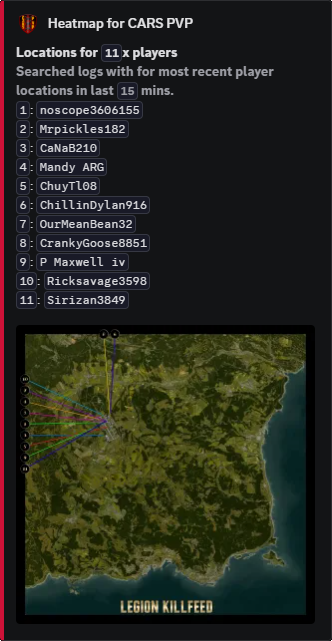
Location map
Player Location Pinmap
Put recent player activity onto a map so staff can review location-based reports without translating coordinates by hand.
Coordinates made readable
Pinmap turns location records into map points staff can understand quickly.
Reports often depend on where someone was, not only what they did.
Staff can check whether a player was at a base, trader, PVP area, event location, or other place that matters to the rule being reviewed.
Map pin review
Coordinates alone slow staff down. A map view makes incidents easier to understand and easier to explain.
It also helps staff spot repeated behaviour around protected or restricted areas.
Commands
- Use
/last locationswhen staff need recent player location records. - Use
/admin players locationsfor staff location review from admin commands. - Use location settings from
/settings configure locationsto decide which feeds should expose map links.
Exact location privacy
- Keep exact location views staff-only unless your server rules already allow public tracking.
- Use Pinmap with Base Radars when reviewing whether an incident happened inside or outside a marked zone.
Commands and options
Copy the command name, then fill in the Discord options listed under it. Discord shows the option fields after the command is selected.
/last locations/admin players locations/settings configure locations