
Staff logs
Log Download and Staff Log Feed
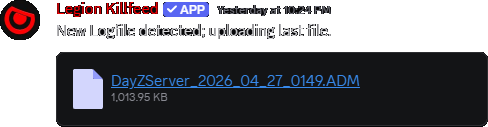
Give staff Discord access to server logs, current logs, kill logs, downloads, and automatic log handling.
Deeper records
Log Feed is for staff who need more than a feed post.
Feed posts explain the common cases. Logs help staff review the messy ones.
Owners can download records, inspect current logs, check kills, and keep automatic log handling available to trusted staff.
When feed posts are not enough
Owners need logs for serious disputes, support tickets, and troubleshooting. A public feed shows activity; staff logs keep the underlying records available for review.
Log access from Discord keeps staff from wasting time switching tools during an active issue.
Commands
- Use
/admin currentfor current log review. - Use
/admin downloadwhen staff need a log file. - Use
/admin killsfor kill records. - Use
/admin allwhen staff need broader records. - Use
/admin autofor automatic log handling where configured.
Staff-only access
- Keep log commands staff-only. Logs may include sensitive location or player information.
- Use logs to support decisions, not as a replacement for clear staff notes in tickets.
Commands and options
Copy the command name, then fill in the Discord options listed under it. Discord shows the option fields after the command is selected.
/admin current/admin download/admin kills/admin all/admin auto