
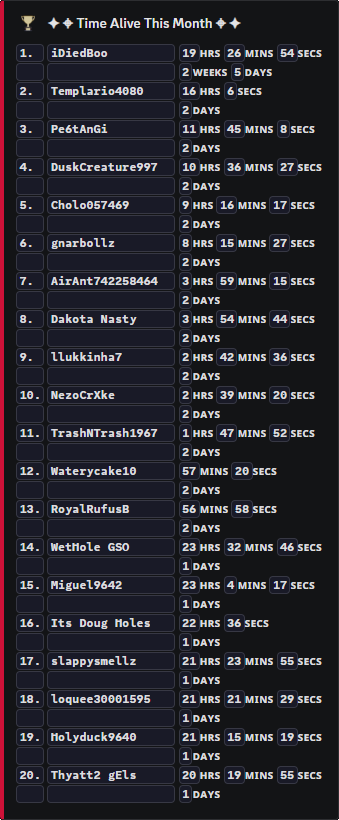
Player records
Player Statistics for DayZ Servers
Let players and staff check personal stats, server stats, global stats, and season records without reading logs manually.
Stats players can see
Player Statistics turn raw server activity into readable records.
Players can check their own history. Staff can use records to understand behaviour across a season.
Stats support PVP ranking, survival goals, bounty hunting, economy rewards, and global competition.
Visible player progress
Players like progress they can see. Stats make a server feel persistent even after individual deaths.
Staff can also use stats as context when reviewing repeat offenders or unusually active players.
Commands
- Use
/minefor a player’s own stats. - Use
/leaderboardto compare players by supported categories. - Use
/globalfor wider Legion stats where available. - Use
/wipe player,/wipe server, or/wipe statsonly when staff mean to reset records.
Season trust
- Tell players which stats matter for your season before running events or prizes.
- Use staff reset commands carefully; stats are part of player trust.
Commands and options
Copy the command name, then fill in the Discord options listed under it. Discord shows the option fields after the command is selected.
/mine/leaderboard/global/wipe player/wipe server/wipe stats