Evidence and enforcement

Logs, Autobans, Moderation and Alt Bans

Legion gives staff a Discord layer for raw log files, automatic PVE enforcement, Nitrado ban/whitelist/priority lists, moderation records and alternate-account checks.

Staff systems

Log Feed

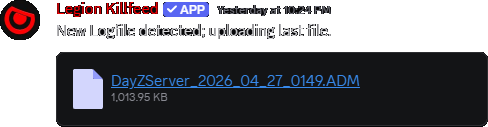
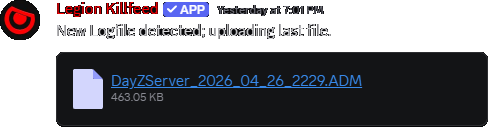
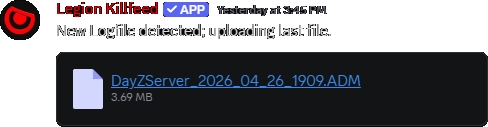
Log Feed posts or downloads the current server log file so staff can keep raw evidence beside the formatted feed posts.

Autoban

Autoban uses PVE kill/death rules and selected detection settings to enforce server rules without waiting for a staff member to manually read every incident.

Ban, Whitelist and Priority

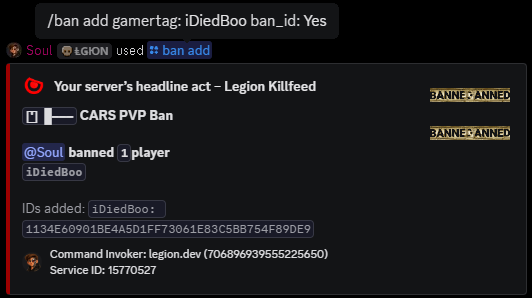
Staff can add, remove and view Nitrado ban, whitelist and priority entries from Discord instead of opening the dashboard for each player.

Moderation

Moderation commands and bot log channels make staff actions visible to the owner team: who changed a list, who searched a player and what command result was returned.

Alt Bans

Alt detector commands search related gamertags, devices and Discord links, then let permitted staff ban, unban, enable monitoring or view persistent checks.

Legion ban command example
Ban tools let staff manage Nitrado lists without leaving Discord.
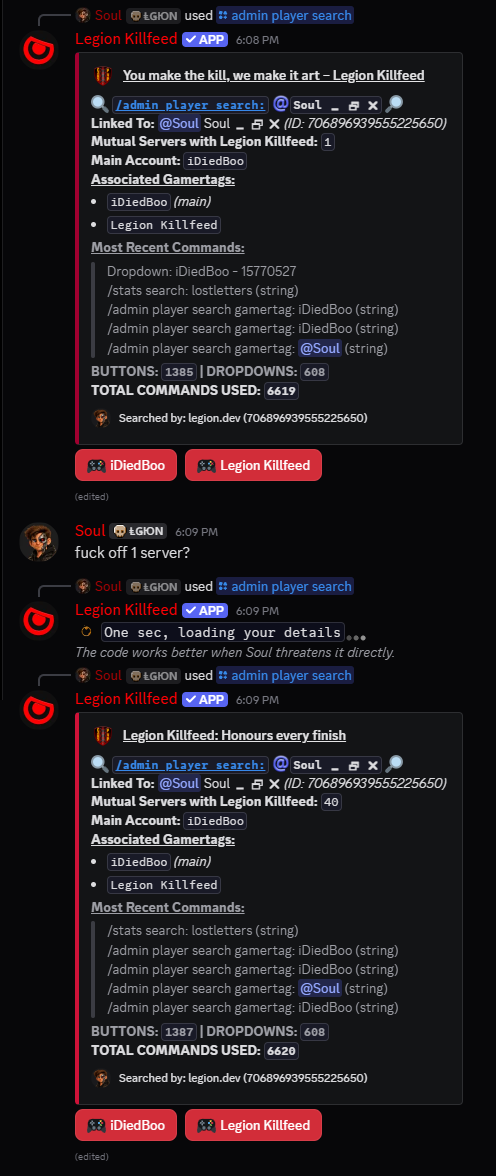
Legion admin player search example
Player search and moderation views pull useful staff context from stored player records.

How it works

Legion reads log files for evidence, stores useful player records in the bot database and uses the saved Nitrado token when a staff command needs to update a ban, whitelist or priority list. The Discord command is the control panel; Nitrado remains the server-side source for the lists and files.

Alt detection works from known player/device/account records. Staff can search for related accounts first, add a persistent check when a player should keep being watched, then view the stored monitoring list later.

Settings that control enforcement output

Setting Controls Use
/settings channel assign Log Feed, Bot Logs and Alt Bans channels. Keeps raw logs, staff command results and alt monitoring away from public player channels.
/settings configure misc Log feed and misc staff-channel toggles such as purge/log behaviour. Controls whether automatic log output is visible and how staff channels are maintained.
/settings autoban config PVE autoban rules for kills or deaths based on server rule mode. Lets PVE communities enforce the rules they actually run instead of using one generic ban rule.
/alt detector state Alt detection monitor state. Turns persistent alt detection output on or off after channels are assigned.

Command paths

Command Options Use
/logs download current
filetype: .ADM or .txt. Downloads the current log file.
/logs download kills
Kill-only log flow. Downloads a trimmed kill evidence file.
/ban add
Gamertag or comma-separated gamertags. Adds players to the Nitrado ban list.
/ban remove
Gamertag or comma-separated gamertags. Removes players from the Nitrado ban list.
/whitelist add
Gamertag or comma-separated gamertags. Adds players to whitelist.
/priority add
Gamertag or comma-separated gamertags. Adds players to priority list.
/alt detector search
player. Searches related gamertags, alts and devices.
/alt detector ban
player, persistent: Yes or No. Bans associated accounts and optionally stores the persistent monitor.
/alt detector state
choice: On or Off. Enables or disables alt detection output.
/alt detector view
No required options. Shows persistent alt checks.

Related Legion features

Site search

Find pages, tools, and guides

Copyright